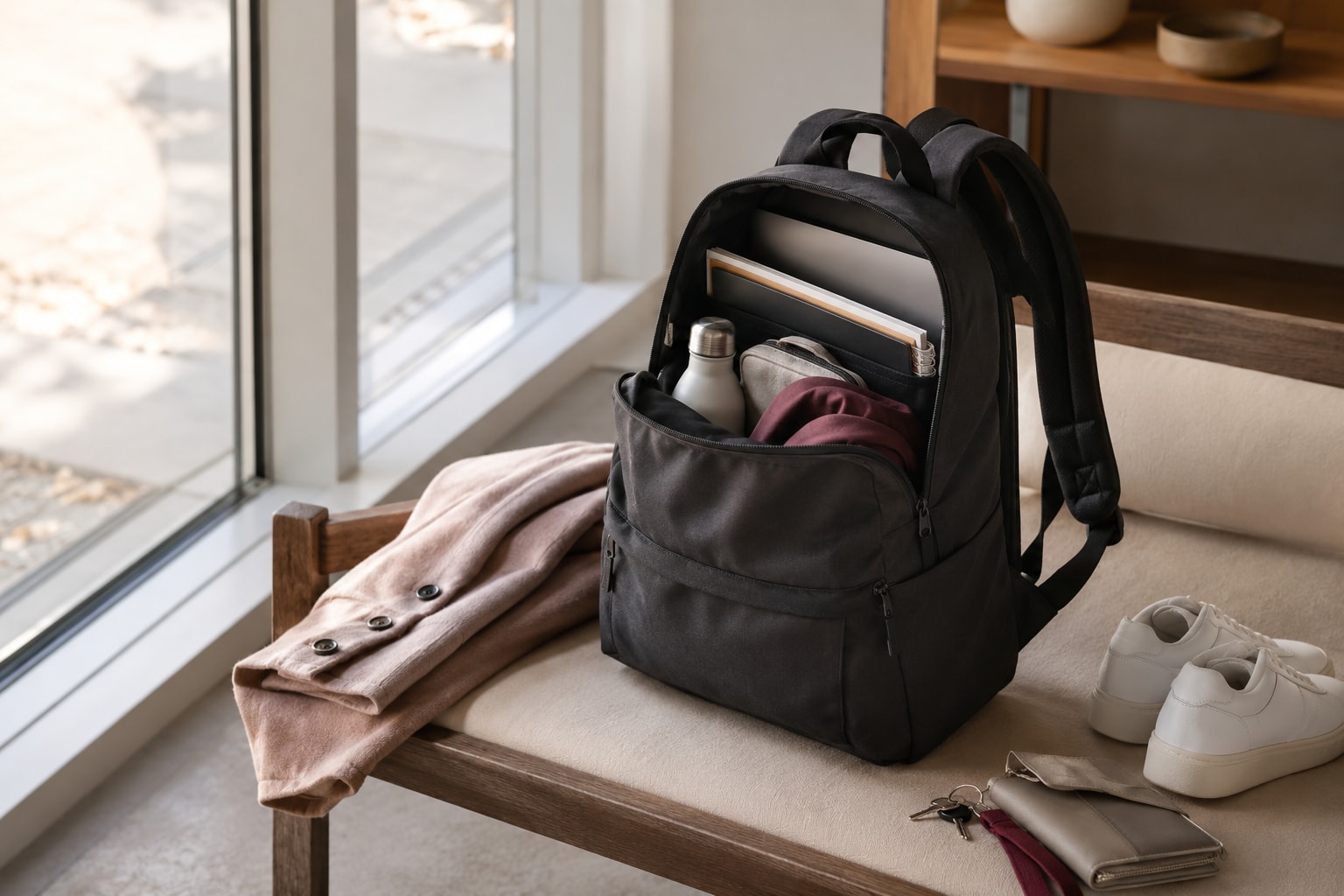
A practical framework for comparing backpack fit, carrying comfort, laptop protection, organization, and travel compatibility without relying on unverified rankings or performance claims.
Start With Your Main Use Case
Begin with the activity that will account for most of the backpack’s use. A bag for everyday errands may only need manageable dimensions and straightforward storage, while a work bag may need protected laptop space and organization for cables, identification, and a bottle. A walking-oriented commute can put more emphasis on cushioned straps, back padding, ventilation, and load distribution.
These distinctions are reflected in how bags are categorized. Béis separates its catalog into travel, work, commuter, sport, expandable, rolling, and convertible types. Wirecutter’s laptop-backpack coverage likewise distinguishes among professional, technology-heavy, travel, budget, and office-to-gym needs. These categories do not guarantee that a particular bag will perform well, but they demonstrate why intended use is a practical first filter.
Write down one primary scenario before comparing products: everyday use, office work, a technology-heavy commute, longer walks, sport, or travel. Then list any secondary requirements. For example, a work-first bag might also need to remain comfortable during a walking commute. This approach helps prevent a specialized feature from outweighing the qualities that will matter every day.
Choose Size by What You Carry—and Check How It Fits Your Frame
Capacity is useful, but it should not be the only measure of size. Start by inventorying what you regularly carry: a laptop, charger, cords, identification, bottle, and other daily items. Compare that list with the bag’s compartments, then review its external height, width, and depth. Those dimensions help indicate how much of your back the bag may cover and whether it appears proportionate to your frame.
Fit can vary even between two sizes in the same general design. In one Wirecutter example, some testers with smaller frames preferred a compact 15-liter model to its 22-liter counterpart. That observation does not establish an ideal capacity for everyone; it shows why a larger volume can become unwieldy even when the extra space seems attractive.
When possible, assess fit with the bag carrying a realistic load. Check whether you can adjust the shoulder straps without the bag feeling oversized or difficult to manage. Consider whether the loaded shape remains comfortable and whether frequently carried items force the bag to expand more than expected.
If choosing between two sizes, use your normal packing list as the deciding reference. A compact option may suit a smaller frame or a limited daily load, while a larger option may be justified by additional equipment. The goal is not to maximize stated capacity but to find dimensions that accommodate essential items while remaining manageable on your body.
Prioritize Comfort for Walking and Heavier Loads
For a walking commute or a heavier daily load, compare the parts of the bag that contact your body. Wirecutter highlights cushioned shoulder straps and ventilated back panels among the functional details of work-oriented backpacks. Padding may reduce pressure at contact points, while ventilation features are intended to address airflow at the back.
Load distribution also deserves attention. Deuter describes several activity-specific back systems: Aircomfort emphasizes ventilation, Aircontact is intended to distribute heavier loads, and Contact combines shaped padding and mesh for load distribution and ventilation. These are manufacturer descriptions, not universal guarantees, but they identify useful comparison dimensions: how the bag positions weight, where padding sits, and whether the back structure incorporates ventilation.
Evaluate these details as a system rather than in isolation. Thick-looking shoulder straps do not reveal how the complete bag will feel once loaded, and a ventilated panel does not by itself establish that the bag is suitable for a heavy load. As a practical assessment, pack the items you expect to carry, adjust the straps, and notice whether pressure is concentrated in one area or the bag feels difficult to control.
Match the level of structure to the demand. A light everyday load may not require the same load-distribution approach as a technology-heavy work bag or a longer walking commute. If walking comfort is a priority, treat strap cushioning, back padding, ventilation, and loaded fit as core criteria rather than optional extras.
Evaluate Laptop Protection and Workday Organization
A work backpack should accommodate the equipment you actually carry. Wirecutter identifies padded, suspended laptop storage as a useful protective detail. When comparing bags, check both the stated device compatibility and the construction of the compartment. A dedicated area can also help separate a computer from chargers, bottles, and other contents.
Organization should reflect your routine. Internal compartments can provide assigned places for chargers, cords, identification, and other daily items, while an external or dedicated bottle pocket can keep a bottle separate from electronics. Before treating a high pocket count as an advantage, map each essential item to a realistic storage location. Extra divisions offer limited value if their dimensions or placement do not match what you carry.
Access is another part of organization. Consider which items you need during the day and whether reaching them requires opening the main compartment or moving the laptop. A simpler layout may be sufficient for a light office setup, whereas a technology-heavy load may benefit from more separation.
Use a packing rehearsal if possible: place the laptop, power equipment, identification, bottle, and other essentials in their intended locations. Confirm that the computer compartment remains usable when the rest of the bag is packed and that smaller items do not become difficult to find. This evaluates organization as a working layout rather than as a list of advertised features.
Test Convenience Features in Realistic Conditions
Quick-access pockets and specialty storage can appear useful when a backpack is empty, but their tradeoffs may become clearer while the loaded bag is being worn. Wirecutter reported that one shoulder-strap phone pocket became uncomfortable and looked less streamlined when expanded. This example does not mean all strap pockets are unsuitable; it shows that convenient placement can affect comfort and appearance.
Test the feature in the condition in which you would use it. Put the intended object inside, load the rest of the backpack, adjust the straps, and check whether the pocket presses against the body or interferes with movement. Also consider whether an expanded pocket changes the profile of the bag in a way that matters to you.
Apply the same check to other access points. A feature should be judged by whether it remains reachable, comfortable, and functional with the bag packed—not simply by whether it exists. If a specialty pocket introduces more friction than convenience, a conventional internal or external compartment may be the more practical choice.
If You Fly, Verify Packed Dimensions Against Your Ticket Rules
The word “backpack” does not determine whether a bag qualifies as a carry-on or personal item. OMASKA states that eligibility depends on the packed bag’s external dimensions, the airline’s rules, and the passenger’s fare. A product label or an empty-bag measurement therefore cannot settle the question by itself.
Before flying, pack the bag as you expect to travel and measure its outside height, width, and depth. Include any expansion created by full compartments or external pockets. Compare those measurements with the current limits that apply to the specific airline and fare.
This check matters because an oversized packed bag may lead to repacking, fees, delays, or a gate check. If air travel is only a secondary use, avoid letting an unverified “travel” or “personal item” label outweigh everyday fit and comfort. Instead, treat travel compatibility as a separate requirement that must be confirmed for each trip and ticket.
Match the Backpack to Three Common Scenarios
Everyday use: Start with a concise inventory and manageable external dimensions. Choose enough organization to keep routine items accessible without adding compartments that have no defined purpose. If the bag will also be worn for extended walks, add strap cushioning, back padding, and ventilation to the comparison.
Office or technology-heavy work: Prioritize a padded or suspended laptop area and a layout for chargers, cords, identification, a bottle, and other work essentials. Check that the loaded bag still fits your frame; evidence from Wirecutter’s testing shows that some smaller-framed testers preferred a 15-liter model to a related 22-liter version. More capacity is not automatically a better work solution.
Walking-oriented commute: Give greater weight to loaded comfort, including cushioned straps, back padding, ventilation, and the way the bag distributes weight. Deuter’s descriptions of different back systems illustrate that ventilation and heavier-load distribution can be separate design priorities. Treat those descriptions as comparison cues rather than guaranteed results, and assess the complete loaded bag when possible.
These profiles can overlap. A walking commuter who carries a laptop needs both work organization and carrying comfort, while an everyday bag used occasionally for flying also requires a ticket-specific dimension check. Use the primary scenario to rank features, then apply secondary needs as additional filters. Retail categories such as work, commuter, sport, and travel can help narrow the field, but fit and the realities of your load should drive the final decision.
Backpack Buying Checklist
Use this checklist with the backpack packed as it would be on a normal day:
- Identify the primary use case and any secondary needs.
- List every item that must fit, including a laptop, charger, cords, identification, and bottle when relevant.
- Compare external height, width, and depth as well as stated capacity.
- Check whether the loaded bag feels proportionate and manageable on your frame.
- Assess shoulder-strap cushioning, back padding, ventilation, and how the weight is distributed.
- Confirm that the laptop area is appropriately sized and offers the padded or suspended construction you want.
- Assign essential items to actual compartments instead of judging organization by pocket count.
- Check whether a bottle has a suitable storage position separate from work equipment.
- Load specialty or quick-access pockets and verify that they remain comfortable and visually acceptable while worn.
- If flying, measure the fully packed exterior and compare it with the rules for the specific airline and fare.
Finish by ranking the criteria. For a light everyday load, fit and straightforward storage may lead. For technology-heavy work, computer protection and organization may take priority. For longer walks or heavier loads, carrying comfort and load distribution deserve more weight.
Disclosures and limitations
- This article was prepared with AI assistance from the supplied research package and approved content plan. Factual claims are attributed through the listed source IDs; manufacturer and retailer materials may contain promotional framing.
- No product records, verified prices, inventory information, or product-specific recommendations were supplied. If affiliate links are added during publishing, they should be clearly disclosed because the publisher may earn compensation from qualifying purchases.
Sources
- The Best First Aid Kit for Hiking and the Outdoors — Wirecutter: Reviews for the Real World
- Buy backpacks for outdoor adventures online – deuter | Buy backpacks for outdoor adventures — deuter
- Carry-On Backpack Size Guide: Airline Rules, Personal Item Fit & Buyer Tips — omaska
- Women's Designer Backpacks on Sale | Luxury Leather Backpacks Outlet — Ask Me Wear
- Backpacks – Travel Backpacks & Laptop Backpacks for Work — Béis
- The Best Laptop Backpacks — Wirecutter: Reviews for the Real World